






Lumen Weld

Automatic robot programming

Your engineering data already describes the weld. Lumen Weld® programs it.

Import the assembly, review the detected joints and send a validated program to the cell. No teach pendant, no specialist robot programmer, no production stop while the next job is prepared.

Overview

Programming is the bottleneck of high-mix, low-volume robotic welding.

In low-volume, high-variant production the robot is rarely the constraint. The constraint is the time and expertise needed to program every new part. Lumen Weld® moves that work from the shop floor to the engineering desk and automates most of it, so the cell can follow the variety of real production orders.

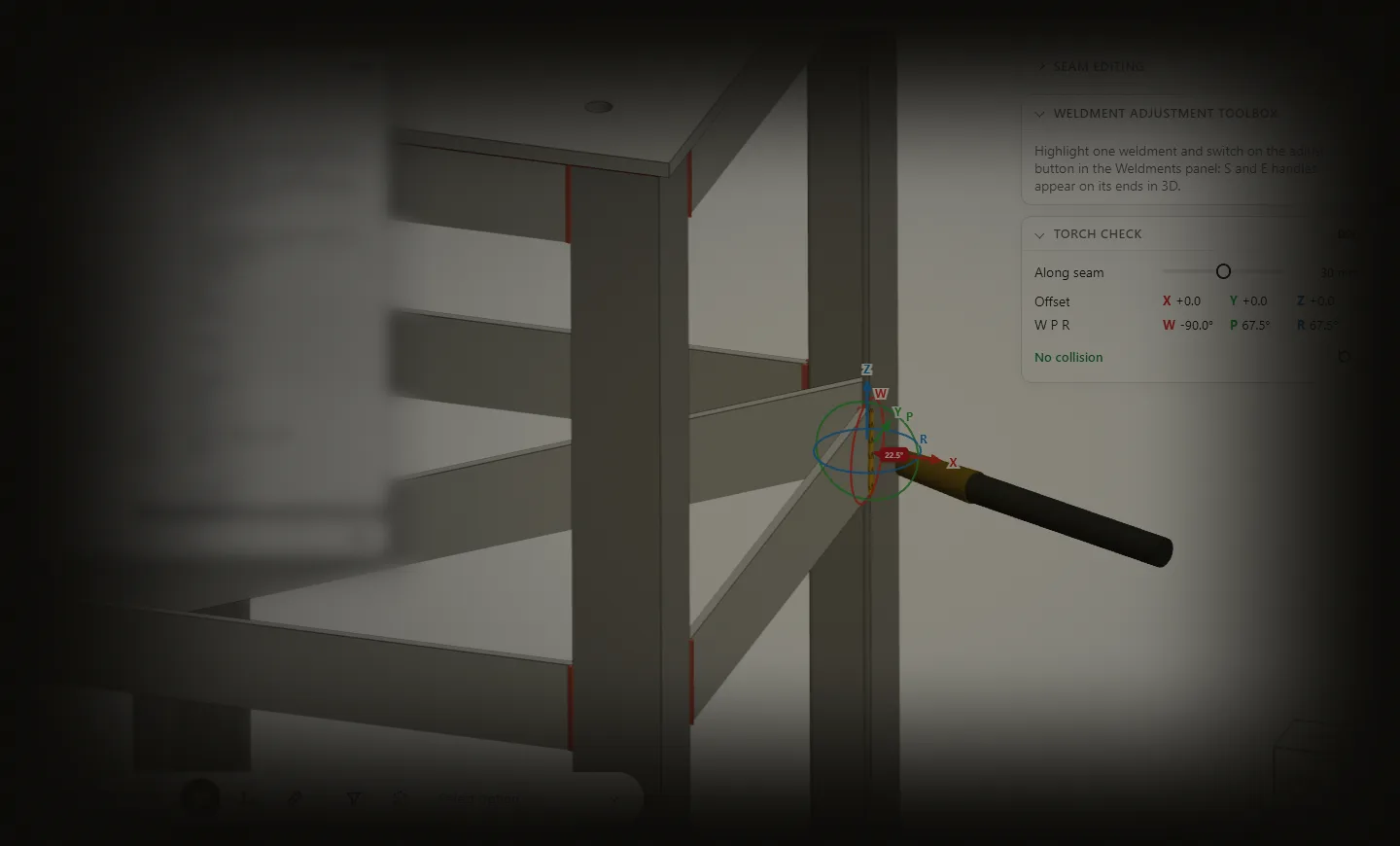
Lumen® is a software platform for programming industrial robots from engineering data instead of teach pendants. Lumen Weld® loads a CAD format, detects weldments, calculates collision-free welding trajectories and generates robot programs.

How it works

What Lumen Weld® does with a CAD assembly

Five stages, from the model your engineers already have to a program the robot can execute.

Import CAD/IFC models

ModelWorks® imports native STEP and IFC assemblies with their geometry, parts and structure. No manual remodelling for the robot.

Modules

Inside Lumen Weld®

Four core modules developed by Motofil Labs carry the platform's intelligence.

CAD import and model processing

ModelWorks® is the entry point to Lumen Weld®. It imports STEP and IFC source models and processes them into a clean assembly, with geometry, parts and structure ready for joint detection and path planning.

  • Native STEP and IFC import
  • Assembly structure, parts and geometry preserved
  • Models prepared for joint detection and planning

Automatic weld joint detection

WeldFinder® reads the geometry of a CAD assembly and identifies where and how the parts must be joined. Detected joints are presented for review, so the engineer validates intent instead of drawing every seam by hand.

  • Joint detection across complete assemblies
  • Review, correction and manual addition of joints
  • Joint data carried into planning and parameters

Robotic path planning

neXXus® solves the hardest part of offline programming: automatically finds torch trajectories that the robot can actually reach, without collisions, while respecting torch orientation and welding sequences, taking full advantage of the cell's external axes and positioners and allowing for complex motion combinations, including multi-axis coordination.

  • Collision-free trajectories for robot, positioner and linear track
  • Reachability and torch orientation constraints
  • Approach, departure and sequencing generated automatically

Welding parameter recommendation

WeldIQ® recommends welding parameters from joint geometry and process context, learning from validated production welds.

  • Recommendations per joint, not per program
  • Learns from validated production data
  • Engineer approval before anything reaches the robot

Capabilities

Built for real welding programs

01

Multipass welding

Pass layouts for thick sections are generated per joint, not programmed bead by bead.

02

Weaving

Weave patterns are applied as part of the welding procedure.

03

Distortion-aware sequencing

Weld order can follow sequencing strategies that limit heat distortion.

04

Stitch welding

Continuous seams are converted to stitch patterns when the procedure requires it.

05

Coordinated external axes

Robot, positioner and linear track are planned together as one coordinated system.

06

Torch maintenance routines

Cleaning and service routines are included in the generated program.

At a glance

Lumen Weld® in brief

Input
STEP and IFC assemblies
Output
Robot program delivered to the controller
Process
Robotic MIG/MAG welding
User
Engineers and CAD operators
Access
Cloud-hosted web application, no local software required
Part localisation
FalconEye® or TouchMaster®

Works with

Lumen Weld® works with what the cell can see and touch.

A program is only as good as its match with the real part. Lumen Weld® can use FalconEye® or TouchMaster® to locate the part in the cell and correct the program before welding. When no CAD model is available or it no longer resembles reality, EagleEye® reconstructs a 3D model from scratch.

FAQ

Questions engineers ask

Do we need a robot programmer to use Lumen Weld®?

No. Lumen Weld® is designed for engineers and CAD operators. Welding knowledge remains important; robot programming expertise is no longer the entry ticket.

What CAD formats are supported?

STEP and IFC assemblies. If your parts have no 3D model, talk to us about EagleEye®.

Does the cell stop while a new program is created?

No. Programs are prepared offline, so the cell keeps welding while the next job is generated and validated.

Which robots does Lumen Weld® support?

Lumen Weld® targets Motofil's LumenReady robotic welding cells. Compatibility with existing installations requires case-by-case evaluation.

Next step

Send us an assembly.

Share a representative part and we will show you what Lumen Weld® does with it.